Chime Temporarily Blocked From Verification? Here’s How to Fix It
Chime verification temporarily blocked can prevent you from receiving SMS codes or verifying your phone number. Learn why it happens, how to fix common verification errors, and when a temporary virtual number may help.
Chime verification temporarily blocked can prevent you from receiving SMS codes or verifying your phone number. Learn why it happens, how to fix common verification errors, and when a temporary virtual number may help.
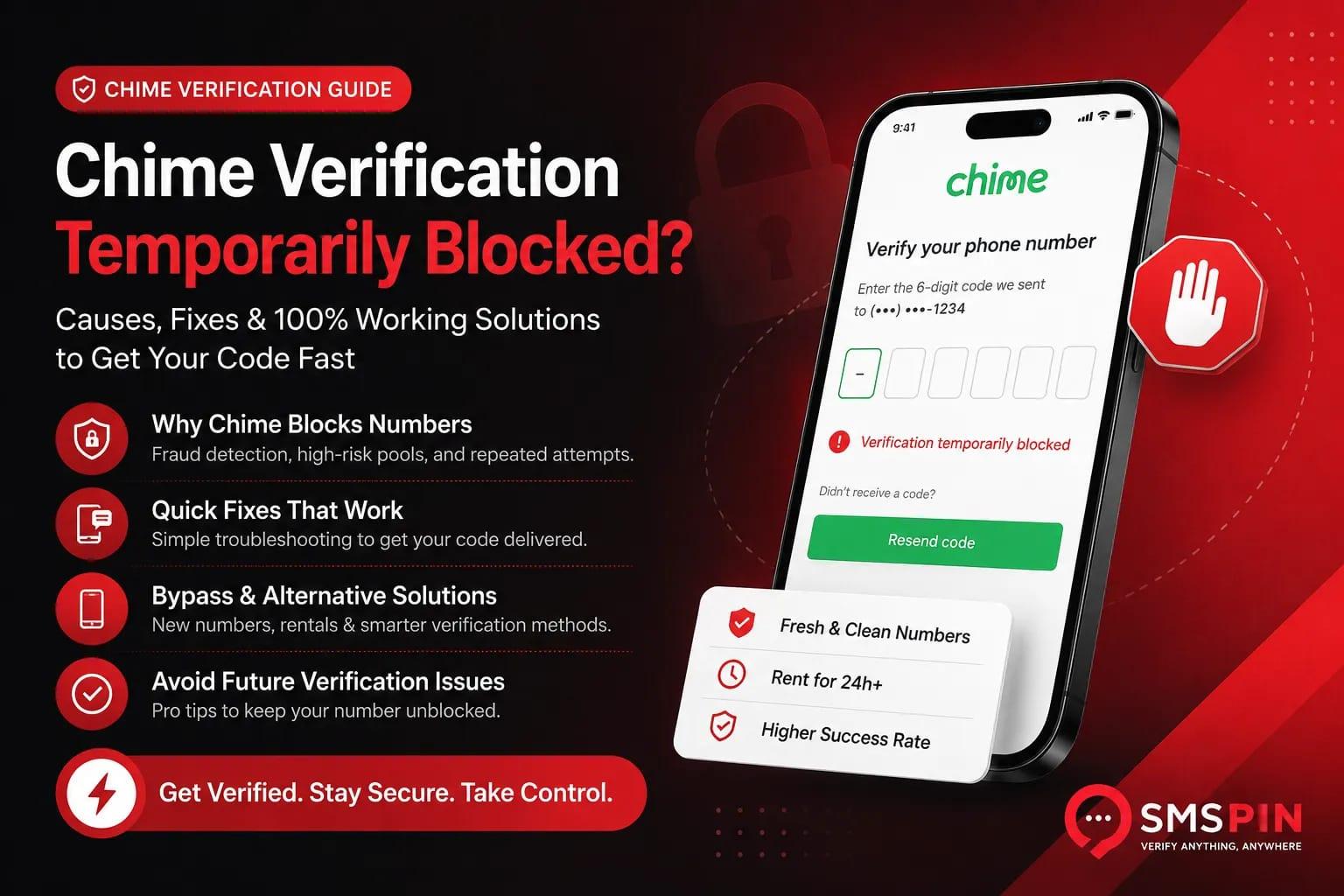
Is your Chime verification temporarily blocked? You’re not alone, and honestly, it’s a headache that catches a lot of people off guard. Chime’s security system is pretty aggressive, and sometimes it flags a perfectly good phone number by mistake. This guide is for anyone staring at a Chime verification temporarily blocked message, a code not received error, or an unable to verify phone number prompt.
We’ll walk through why these blocks happen and more importantly how to get around them and back into your account.
#Quick Answer:
Understand the Block: Chime's fraud detection flags numbers for repeated attempts, being in high-risk pools, or prior usage. These blocks are usually temporary (24–72 hours).
Try a New Number: The fastest fix is often to use a fresh phone number that hasn’t been linked to Chime before.
Avoid Over-Verification: Don’t spam the resend code button. Wait at least 60 seconds between attempts, or you’ll make things worse.
Check the Basics: Make sure your number is correct, you have a strong signal, and your carrier isn’t blocking shortcode messages.
Consider Number Type: Free public temporary numbers rarely work. A paid number from a less common pool has a much better shot, especially if you rent one for a day.
#Why Chime Blocks Your Phone Number (And Why It Feels Random)
Chime uses a sophisticated fraud-detection system that flags numbers associated with excessive attempts, known virtual number pools, or suspicious patterns. If you've tried multiple verifications in a short window or used a virtual number that's already been linked to other accounts, Chime's system may temporarily block it. This isn't personal it's a standard security measure that sometimes catches legitimate users by accident.
Chime’s verification engine cross-references number history and carrier type. Repeated failed attempts can lock a number for 24–72 hours, preventing further SMS code delivery. VOIP and burner numbers are flagged more aggressively than standard mobile lines. The block is tied to the number itself, not to your device or IP address, and is often lifted automatically after a cooldown period.
#The Most Common Reasons Your Chime Verification Keeps Failing
Most Chime verification failures boil down to one of three things: a number that’s been used too many times, a carrier Chime doesn’t trust, or a location mismatch between the phone and your account’s region. You might also see issues if your number is tied to a previous Chime account or if you’re pulling from a high-risk pool.
Numbers recycled from other apps often carry a high-usage flag. Chime may also block numbers from certain carriers or MVNOs known for higher rates of fraud. A classic example? Using a US number with a non-US IP address this is a common trigger. Other factors include previous account bans, shadow-flagging a number, or simple server-side delays that make it look like the system is down when it’s just slow.
#Quick Fixes for Chime Verification Code Not Received
If your Chime verification code isn't showing up, start with the simple stuff: check your spam folder, ensure airplane mode isn't on, and wait at least 60 seconds before requesting a resend. SMS delivery can be delayed by carrier congestion or temporary network issues. If nothing arrives after three attempts, switch to a different number entirely.
Troubleshooting Steps:
Wait and Retry: Request a new code after 60 seconds. Rapid re-requests can lock you out faster.
Check Number Accuracy: Verify that your number is entered correctly, including the country code, without dashes or spaces.
Restart Device: Restart your phone to clear any SMS routing glitches or temporary network issues.
Carrier Restrictions: Confirm your carrier doesn't block shortcode messages, as some MVNOs do.
Hardware Check: Use a different device or move your SIM to another phone to rule out a hardware issue.
Test Free Options: To quickly test whether the issue is with your number or Chime's system, you can try a free number first, though these are typically not successful for Chime in the long term.
Need a number that actually works? Start with our free public numbers to quickly test Chime’s response before committing. If they don’t work, your next step is a paid number from a fresh pool.Try free numbers now.
#How to Bypass a Chime Phone Number Blocked Error
A blocked number error usually means Chime’s system has temporarily blocked that specific phone line. The fastest bypass is to use a different number ideally one that hasn’t been used for a Chime verification before. Wait 24–48 hours before retrying the original number, as the block often expires automatically.
Bypass Strategies:
New Number: Use a different mobile number. Do not attempt re-verification more than 3 times in a row with the same blocked number.
Carrier/Region Variety: If possible, use a number from a different carrier or a different region to diversify your attempts.
Avoid Virtual Pools: Steer clear of numbers from known virtual provider pools, as these are often pre-flagged.
Clean Browser: Clear your browser's cache and cookies before retrying any verification attempts.
Contact Support (Last Resort): If the block persists after waiting and trying alternative numbers, contact Chime support directly, but be aware that getting a quick resolution can be challenging.
Alternative Source: If a different personal number isn't available, you could try a different temporary number from a reputable service as a short-term workaround.
#Can You Use a Temporary Number for Chime? (Spoiler: It’s Tricky)
Chime’s fraud detection is aggressive with numbers from temporary SMS services, often flagging them immediately. That said, some temporary numbers work especially if they’re from a less-common carrier pool or have never been used for Chime before. The key is using a number that doesn’t trigger Chime’s known virtual database.
Free public numbers rarely work for Chime due to extensive blocklisting. Paid temporary numbers with low prior usage have a better chance of success. Rented numbers (available for 24 hours or longer) tend to be more stable than one-time codes for platforms with strict security. Always verify that the number is from a country where Chime actively operates; numbers from unsupported regions will consistently fail. It’s always advisable to check pricing for one-time codes and test with a low-cost number first, before committing to a longer rental.
#Resolve Chime Unable to Verify Phone Number
When Chime says it can't verify your number, start by disconnecting any VPN or proxy, using a clean browser session, and entering the number manually instead of copying and pasting. If that fails, try a different number from a trusted carrier. For persistent errors, wait 24 hours and use a number from a geographic region that matches your account setup.
Resolution Steps:
Disable VPN/Proxy. Turn off any VPN, proxy, or IP-masking tools that might obscure your true location.
Clean Browser Session. Use Chrome or Safari in incognito/private mode to ensure no cached data interferes.
Manual Entry. Manually type the phone number into the field, paying close attention to accuracy; avoid copy-pasting. Omit any dashes, spaces, or parentheses.
Check Country Support. If using a temporary number, ensure it's from a supported country. For example, you can use our services to receive SMS for USA numbers if that matches your Chime account's region.
Wait and Retry. If previous steps fail, wait 24 hours before attempting with a new number or retrying with your original number.
#What to Do When Chime Verification Service Unavailable Appears
This error usually points to a server-side issue at Chime, not a problem with your number. Try again after 30 minutes, and avoid hammering the verification button it won’t help. If the error persists for more than a few hours, it’s likely a regional outage or maintenance window.
Actions to Take:
Check Status: Look for announcements on Chime’s official status page or social media channels for outage information.
Network Switch: Switch from Wi-Fi to mobile data (or vice versa) to rule out local network problems.
Off-Peak Retry: Try verifying during off-peak hours, such as late at night or early in the morning, when server load may be lower.
App Refresh: Clear the app cache or reinstall the Chime app to resolve potential software glitches.
Do Not Change Numbers: During a service unavailable error, do not switch numbers or make multiple attempts with different numbers. This error isn't about your number being blocked; wait for Chime's service to recover.
Still not receiving codes? If Chime keeps failing, grab a number from a less-common carrier pool that avoids their blocklist. You only pay if a code arrives otherwise, you get an automatic refund.
How to Avoid Future Chime SMS Verification Issues
Prevention starts with using stable, low-usage numbers and avoiding rapid-fire verification attempts. Stick to one number per account attempt, and don’t reuse numbers that have been blocked before. If you’re testing or verifying multiple times, rotate through fresh numbers from different pools.
To minimize future issues:
Maintain a Clean List: Keep a record of numbers you’ve used to avoid reusing ones that have been blocked or caused issues.
Geographic Matching: Use numbers from countries where Chime explicitly operates and where your account is registered.
Secure Connection: Avoid verifying on public Wi-Fi networks or shared IP addresses, as they can be flagged for suspicious activity.
Patience: Allow at least 24 hours to pass between failed attempts before trying again.
Rent for Stability: For ongoing access or situations requiring multiple verifications, consider renting a number rather than relying on one-time codes.
#The Real Reason Chime Blocks Temporary Numbers (And What Works)
Chime maintains a dynamic blocklist of number ranges commonly used by temporary SMS services. When your number falls into that range even if it’s brand new the system blocks it preemptively. The only workaround is finding a number from a pool that hasn’t been flagged, often from less-common carriers or newly allocated ranges.
Chime continuously updates its blocklist based on known virtual number providers to protect against fraud. Numbers from major virtual pools, including those offered by public or free SMS verification sites, are often blocked instantly. Newer, less-used number ranges tend to have a higher success rate. Rented numbers (available for 24 hours or more) sometimes avoid detection compared to single one-time codes, offering a more stable solution for repeated verification needs. However, no temporary number service can guarantee Chime acceptance due to their continuously evolving fraud detection. If you need a persistent number, you can rent one for longer-term access.
#Still Stuck? Alternative Ways to Verify Your Chime Account
If SMS verification continues to fail, check if Chime offers email-based verification, voice call options, or support-assisted manual verification. Some users have success contacting Chime support directly to request a manual override, though this process can be slow. As a last resort, consider linking a different bank account or using a co-branded card that doesn’t require SMS verification.
Alternative Verification Paths:
Voice Call: Look for a call me option instead of SMS during verification.
Support & Manual Review: Contact Chime support to inquire about verifying your identity via email, ID uploads, or other manual methods.
Bank Account Linkage: If applicable, linking an existing bank account might bypass phone verification entirely for certain actions.
Trusted Contact: With explicit permission, you might use a friend or family member’s personal number for a one-time setup, then switch to another method for future access.
Consider Other Platforms: If repeated attempts fail and you require SMS verification for other platforms, you might need to consider a different banking platform that supports your specific number type or offers alternative verification methods.
Need ongoing Chime access? Rent a number for 24 hours or longer so you’re not constantly fighting blocks. Perfect for testing, managing accounts, or maintaining access over time.
SMSPin is not affiliated with any app or website. Please follow each app's terms and local regulations.
#Key Takeaways
Chime blocks are primarily security-driven, often temporary, and linked to the phone number itself.
The most effective solutions involve using a fresh, less-common phone number.
Avoid rapid, repeated verification attempts, which can extend block durations.
Free and public temporary numbers are highly unlikely to work with Chime.
For persistent issues, explore Chime's alternative verification methods or contact their support.
Consider rented numbers for more reliable, longer-term temporary solutions.
#FAQ
Is it legal to use a temporary number for Chime verification?
Yes, using a temporary number is legal. However, Chime's terms of service may prohibit certain types of numbers. Always comply with Chime's TOS and local regulations. SMSPin is not affiliated with any app or website. Please follow each app's terms and local regulations.
Why does my Chime verification code never arrive?
Common reasons include carrier shortcode blocking, network delays, or the number being flagged by Chime's fraud detection. Try a different number from a less-common carrier pool.
What's the difference between a one-time temporary number and a rental number for Chime?
One-time numbers are used for a single code and released immediately. Rental numbers (24h+) give you a persistent number that can receive multiple messages over time, which sometimes improves success rates with sensitive platforms like Chime.
What should I NOT use temporary numbers for?
Do not use temporary numbers for 2FA on accounts you can’t afford to lose, banking logins, or identity verification for sensitive services. They are best for privacy, testing, and low-risk signups.
How do I troubleshoot Chime unable to verify phone number?
Turn off VPNs, use a clean browser session, manually type the number, and wait 24 hours before retrying with a fresh number from a different carrier pool.
Can I use a free temporary number for Chime?
Free public numbers rarely work with Chime due to extensive blocklisting. Paid temporary numbers from less-common pools have a better, but still not guaranteed, chance.
Will Chime ever automatically unblock my number?
Yes, most temporary blocks expire after 24–72 hours. Avoid repeated verification attempts during that period to avoid extending the lock.