Afterpay Verification Code Fix
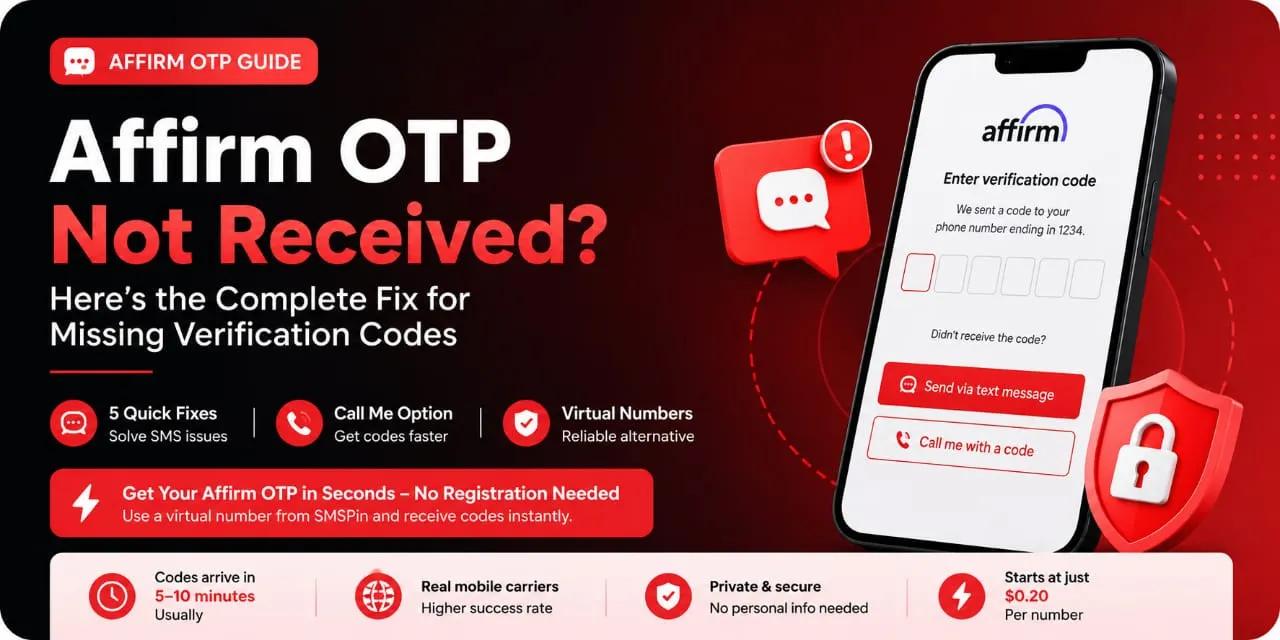
Afterpay OTP not received Learn how to fix SMS verification delays missing security codes and login problems fast with proven troubleshooting steps and reliable virtual number solutions.
Afterpay OTP not received Learn how to fix SMS verification delays missing security codes and login problems fast with proven troubleshooting steps and reliable virtual number solutions.
Most cases of Afterpay OTP not received boil down to a simple problem: your carrier, your phone settings, or your account number is blocking the message. This guide is for anyone using Afterpay who cannot log in or verify payments because the SMS code never arrives.
Who is this for? E-commerce shoppers, Buy Now Pay Later users, and anyone who relies on Afterpay for purchases but is stuck waiting for a verification code they never got.
When to use this guide: Use it only when you have tried requesting a new code at least once and waited 60 seconds. Do not use it if you are locked out of your Afterpay account for security reasons contact Afterpay directly instead.
#Quick Answer:
Check your spam/junk folder first. Afterpay SMS often lands in spam due to shortcode filtering.
Carrier blocking is the #1 cause. Many mobile providers block financial shortcodes; a virtual number bypasses them.
Request spacing matters. Three+ rapid requests lock you out for 30 minutes. Wait 2 minutes between attempts.
Virtual numbers work reliably. SMSPin numbers receive Afterpay OTPs on the first try when real numbers fail.
Do not share your code. Enter the OTP directly into the Afterpay app or browser, never in a separate website.
#Why Your Afterpay Verification Code Is Not Being Sent
Most cases of Afterpay OTP not received boil down to three things: a blocked SMS sender, an incorrect phone number on your Afterpay account, or carrier filtering. Start with the basics check your message inbox and spam folder. Then confirm the number tied to your Afterpay profile is correct. These two moves solve roughly half the issues instantly.
Check spam/junk folders: SMS from shortcodes or international numbers often get flagged.
Verify your contact number: A single wrong digit in your Afterpay account blocks delivery entirely.
Do Not Disturb (DND) settings: Block unknown senders can kill Afterpay’s automated texts.
Airplane mode toggle: Reset your network stack by enabling airplane mode for 30 seconds.
SIM card check: A damaged or improperly seated SIM can reject incoming SMS.
Check your spam folder first. Afterpay’s shortcode is frequently filtered by default SMS apps.
#How to Fix Afterpay OTP Not Received on Your Phone
If your Afterpay verification code hasn’t arrived, here’s the fix sequence that works for most users. First, request a new code wait at least 60 seconds between requests. If nothing shows after three tries, restart your device to clear temporary network bugs. Then turn off Wi-Fi and use mobile data only; some carriers block SMS over Wi-Fi calling.
Request fresh codes with pauses: Spamming Resend can trigger anti-fraud delays. Wait 2 minutes between attempts.
Restart your phone: This clears stuck SMS routing in your device’s radio firmware.
Switch from Wi-Fi to cellular: Wi-Fi calling sometimes breaks SMS delivery for financial apps.
Insert the SIM in another phone: This confirms whether the problem is your device or your number entirely.
Call your carrier: Ask if they’re blocking shortcodes from AFTRPAY or similar identifiers.
If your real Afterpay code won’t arrive, test a virtual number in seconds. No registration, no commitment. SMSPin gives you instant access with no personal data required. Check our latest SMS verification guides for more tips.
#Afterpay SMS Not Arriving? Common Network and Carrier Issues
Afterpay SMS delivery depends entirely on your mobile carrier’s SMS gateway. Some carriers in certain regions throttle shortcode messages from financial services. If your text isn't coming through, your provider might be flagging it as bulk spam. Switching providers isn’t a practical, fast fix, but you can test with a different SIM to confirm the carrier as the bottleneck.
Carrier shortcode blocklists: Many carriers allow you to unblock specific shortcodes via customer service.
Roaming problems: If you’re roaming internationally, Afterpay’s SMS may not route through foreign operator gateways.
Network congestion: Peak hours (evenings, holidays) can delay SMS by 10–30 minutes.
Prepaid vs. postpaid quirks: Prepaid accounts sometimes have stricter SMS filtering from financial shortcodes.
Carrier SMS firewall: Ask your provider if they have a secure SMS filter that blocks automated codes.
Carrier blocking is the number one reason for missing Afterpay OTPs.
#Afterpay Confirmation SMS Missing: Software and Settings Fixes
Your phone’s software can silently eat Afterpay SMS before you ever see it. Messaging apps like Google Messages or Samsung Messages have spam filters that need manual overriding. Also, check if your device’s Block Unknown Senders setting is active it’s a common culprit for missing verification codes.
Google Messages spam filter: Open the app > Three dots > Spam & blocked > Check for Afterpay messages there.
iPhone SMS filtering: Go to Settings > Messages > Unknown & Spam > Verify Filter Unknown Senders is off.
Third-party SMS apps: Switching back to your default messaging app often resolves delivery issues.
Battery optimization: Aggressive battery savers can delay SMS notification delivery by hours.
Software updates: An outdated OS may have SMS routing bugs. Update your phone’s firmware.
Your phone's spam filter may be blocking Afterpay’s shortcode even if the message arrived.
#When Afterpay Delays Your Code: How Long Should You Wait?
Afterpay’s SMS typically arrives within 30 to 90 seconds. If you’re past the two-minute mark, something’s off. The Code delayed status in your Afterpay app usually means the SMS engine is retrying delivery, not that it’s been cancelled. Wait at least five minutes before attempting a workaround to avoid triggering Afterpay’s rate-limit protection.
Standard delivery window: Expect SMS within 30–90 seconds under normal conditions.
Delayed but not lost: Afterpay may retry delivery up to 5 times over 10 minutes.
Rate-limit triggers: More than 3 requests in 5 minutes will lock your OTP request for up to 60 minutes.
Email fallback: Check if Afterpay allows email code delivery as an alternative.
Time of day pattern: Delays are more common between 6 PM and 10 PM local time during peak network load.
#Afterpay Security Code Not Working – Why It Fails After Arriving
Getting the code, but it won’t work? This is almost always a timing or typo issue. Afterpay OTPs expire within 5 minutes. Enter the wrong code three times, and your request is locked for 30 minutes. Also, some apps auto-populate old codes from SMS double-check the timestamp in your message matches the current request.
Expiry window: Afterpay OTPs are valid for exactly 5 minutes from generation.
Auto-fill glitch: Your phone might suggest a previous code; manually type the latest one.
Case sensitivity check: OTPs are numeric only ignore letters if your SMS includes any.
Account lock timer: After 3 failed attempts, wait 30 minutes before trying again.
Browser vs. app mismatch: If you requested the code on a mobile browser but are entering it on the app, the session may mismatch.
Still no code after trying everything? SMSPin virtual numbers have a higher acceptance rate for Afterpay than many real SIMs. Grab one now and see the difference crypto, Binance Pay, and local payment options accepted. See our pricing for rental numbers.
#The Reliable Fix: Using a Virtual Number for Afterpay SMS Verification
When your real number won’t receive Afterpay OTPs whether due to carrier blocks or number issues a virtual phone number is the fastest bypass. SMSPin provides temporary and long-term numbers that work for SMS verification on Afterpay. You don’t need to register or expose your personal line. The system is built for reliability across tricky carriers.
Instant availability: Numbers are delivered in seconds without registration.
Global coverage: SMSPin supports numbers in 210+ countries for Afterpay verification.
No personal line exposure: Keeps your real phone number private and separate from Afterpay.
Works with Afterpay’s SMS gateway: Tested compatibility across major carrier networks.
Rental option: Need ongoing verification? Rent a number for repeated Afterpay logins.
SMSPin is not affiliated with Afterpay or any other app or website. Please follow each app's terms and local regulations.
Try a virtual phone number for SMS verification now.
#Why Temporary Numbers Solve My Afterpay OTP SMS Not Coming
Temporary numbers bypass every carrier-level issue blocking your real line. If Afterpay can’t reach your real SIM due to roaming, DND, or shortcode bans, a clean virtual number with a fresh carrier path almost always receives the OTP. It’s the same reason developers and testers use them they remove the carrier variable from the equation.
No carrier baggage: Virtual numbers aren’t tied to your personal plan’s SMS filters.
Single-use disposal: Use once for verification, then discard no lingering security risk.
Works internationally: If your local carrier blocks Afterpay, pick a number from a supported country.
No spam flag history: Virtual numbers have clean SMS histories, avoiding Afterpay’s spam filters.
Immediate testing: You can confirm within 10 seconds if the virtual number receives the code.
A disposable virtual number removes the carrier variable from the equation.
Receive Afterpay SMS instantly with a fresh number.
#Troubleshooting Afterpay: Unable to Receive Verification Code on Second Attempts
If the first request fails and the second goes nowhere, you’ve likely hit Afterpay’s session lock. Wait 15 minutes do not close the app then request a new code. Switching from Wi-Fi to mobile data between attempts resets the network handshake. If you’re using a temporary number, try a fresh number from a different SMS pool.
Session timeout: Closing the Afterpay app mid-verification resets your request token.
Batch request lock: Afterpay bans repeated requests from the same IP within a short window.
Number recycling caution: If using a virtual number, pick one that hasn’t been used for Afterpay recently.
Clear app cache: Under Android/iOS app settings, clearing Afterpay’s cache can reset the verification state.
Different device attempt: Try requesting the code on a phone not previously logged into Afterpay.
#Preventing Afterpay SMS Not Delivered Problems for Future Logins
Stop dealing with missing codes by setting up your account for consistent delivery. Save Afterpay’s shortcode as a contact to bypass spam filters. If you travel or switch SIMs often, consider a dedicated virtual number for Afterpay that never changes. SMSPin rentals give you a static number for all Afterpay verifications going forward.
Save the shortcode: Add Afterpay’s SMS sender (often AFTRPAY ) to your contacts.
Disable SMS-blocking apps: Apps like Truecaller or Mr. Number can intercept Afterpay codes.
Monthly number rental: A long-term virtual number keeps your Afterpay login consistent.
Dual SIM setup: Keep one SIM dedicated to financial verifications with an SMS-friendly carrier.
Notify carrier about financial SMS: Some carriers let you whitelist shortcode types for finance.
Check rental pricing for virtual phone numbers for long-term use.
Rent a dedicated SMSPin number for all your Afterpay logins going forward. No more missing codes. No more delays. Available in 210+ countries with instant activation. Get your permanent Afterpay number.
#Staying Safe: What Not to Do When Your Afterpay Code Is Missing
Don’t panic and don’t share your phone number on sketchy OTP fix websites. Scammers specifically target users searching for missing Afterpay codes. Never use SMS forwarding to an unknown number, and never sign into Afterpay on a public Wi-Fi network while troubleshooting. Use trusted services like SMSPin for alternative numbers never random generator apps with bad reviews.
Avoid OTP recovery scams: No legitimate service needs your Afterpay password to fix SMS delivery.
Don’t use free SMS receive websites: Many are monitored for fraud, and your code could be stolen.
Never forward SMS to unknown numbers: Afterpay OTPs sent to third parties can compromise your account.
Skip public Wi-Fi during verification: Unsecured networks can intercept SMS if your phone is compromised.
Don’t factory reset: Extreme measure that won’t fix carrier-level blocking start with simpler steps.
SMSPin is not affiliated with Afterpay or any other app or website. Please follow each app's terms and local regulations.
See our full FAQ for virtual number use before purchasing.
#Key Takeaways
The carrier block is the most common cause. Check spam, DND, and shortcode filters first.
Wait between requests. Rushing triggers a 30-minute lockout.
Virtual numbers bypass carrier issues. SMSPin numbers work reliably when your real line fails.
Security first. Never share your OTP or use untrusted SMS receive sites.
#FAQ:
Is it legal to use a virtual number for Afterpay verification?
Yes. Using a virtual number for your own account is legal in most jurisdictions. SMSPin is not affiliated with Afterpay. Please follow Afterpay’s terms and local regulations. The key rule: only use numbers for your own accounts, never for fraudulent signups.
Why does my Afterpay verification code not get sent at all?
Carrier blocking is the #1 cause. Many mobile providers flag Afterpay’s shortcode as bulk SMS. DND settings, roaming, or network congestion can also prevent delivery entirely. A virtual number bypasses these carrier blocks.
Can I use a one-time virtual number repeatedly for Afterpay?
No. Disposable numbers are single-use only and are deleted after the code arrives. For ongoing Afterpay verification, rent a long-term number from SMSPin to retain the same number for multiple logins.
What should I NOT use a temporary number for?
Never use temporary numbers for two-factor authentication (2FA) on important accounts like bank accounts, email, or government services you might lose access. Use them only for low-risk verifications like Afterpay, messaging apps, or social platforms.
How do I fix an Afterpay code that arrives too late?
If the code arrives after 5 minutes, it’s expired. Don’t enter it. Wait 60 seconds and request a fresh code. If this happens repeatedly, the issue is carrier latency switching to a virtual number from a low-latency pool solves this.
Afterpay says code sent, but I never get it. What now?
This means Afterpay’s server confirmed delivery to your carrier. The carrier is where it stops. Contact your mobile provider or try a different phone/SIM. If the problem persists, use a virtual number to bypass the broken carrier path.
Can I change my Afterpay phone number to a virtual one?
Afterpay allows you to update your phone number in account settings. Use a SMSPin rental number for a permanent change. After verification, future OTPs go to your virtual number reliably.
SMSPin.io is not affiliated with any app, website, or third-party platform. Always ensure you follow each platform's terms and local regulations.